Thursday, March 26, 2020

Virtual Education Experiences in Guatemala because of COVID 19

Virtual Education Experiences in Guatemala because of COVID 19


Introduction
Nowadays, education in Guatemala has changed because of a virus, there is a global illness named COVID 19 which is a barrier for students go to school to have classes because it is so dangerous for them. It is necessary to care students' health. Therefore, students have online classes, this is a new experience for the majority of them. 

Virtual Education Experiences in Guatemala
There is a global illness named COVID 19 which has caused a lot of damage to the society in other countries, Nowadays, some people have been infected because of this virus and there are rules to follow in order to care health. One of them is students and teachers can go to schools and universities so, this impacted some schools because they were not prepared for virtual education. However, they have implemented this modality. 

These are experiences educators and students shared about virtual learning and how they feel. Health is first and they have experienced this modality.

Teachers' Experiences
These are experiences teachers have had in this difficult situation in Guatemala because of COVID 19.


Students' Experiences
Two students share their experiences about virtual education. 
     Click on the icon to listen to the experience of a student.

      Click on the icon to listen to the experience of a student.

How is your experience in virtual education?
Share your opinion with us, your contribution is important.

Conclusion
Nowadays, virtual learning is the unique way educators can use to teach the content to the students because of the virus so, it is important teachers integrate technology in education and help learners how to use the technological tools because some students have difficulty at the beginning, but they like to interact and develop tasks using it. In addition, a lot of students do their homework if they have to use technology.

Wednesday, March 25, 2020

Technological Resources for Teachers

Technological Resources for Teachers


Introduction
Technology has many resources teachers can use for their classes to improve the way they teach as presenting the content for students or activities to assess them. There are a lot of free resources they can use to design material for classes.  Some technological tools are used to create infographics, mind maps, videos, presentations, and others. 

Technological Resources for Teachers
Designing materials for classes is nice because teachers use their imagination and creativity for the material, there is a variety of resources they can use, they depend on what they want to create. The following infografic shows technological resources educators can integrate in the learning process.


More technological resources
Click on the website icon to go to a site where you find more technological resources. It has information about what activities you can do to present the content as infographics, presentations, etc, what technologicat tools you can use and how to use them.


Conclusion
There are a lot of resources you can use to implement in your classes. There are websites to create awesome infographics, mind maps, presentations, surveys, exams, and others. Therefore, teachers should take advantage of these resources, students feel motivated when they interact with technology and increase their learning. 

Web 2.0 Technology

Web 2.0 Technology


Introduction
Technology is an important resource in the learning process because it allows teachers use online resources to facilitate students' learning. Web 2.0 technology has helped in education because students share their opinions by using applications of this web. In addition, an example of this kind of technology is this blog because I share content about virtual education and people can comment about this information. So, it is amazing to see how technology allows people can contribute with others.

Web 2.0 Technology
According to Lipika (2016), Web 2.0 refers to a variety of web sites and applications that allow anyone to create and share online information or material they have created. So, a key element in this kind of web is that provides people to create, share, collaborate, and communicate.  It is easy to communicate information to a select group of people or a wide audience.


There are different applications educators can apply in their classes to achieve students can create, share, and comment their tasks. The examples of this web are blogs, wikis, social networking, podcasting, and content hosting services.

Types of Web 2.0 Applications


Blogs
A blog is the contraction of the words web and log. It provides commentary or information on a particular topic or event. This kind of application can be from a particular person or an organization, it is public and online so, each person which has the link can consult the information. In addition, it allows people can comment on the entries made to answer to comments made by other people. Blogs are primarily text but users can add photos, images, sounds, and videos according to the information.

Features of Bogs


Websites to create blogs


Wikis
A wiki is a collaborate website that anyone within the community of users can contribute to or edit. It can be open to a global audience or restricted to a select group of people. Wikis can cover a specific topic or subject area and facilitate to search information. In addition, they are primarily text and include images, videos, and sounds according to the topic.

Features of Wikis


Social Networking
Social networking allows an individual to create a profile for themselves on the service and share the profile with other users with similar interests in order to create a social network. People can post photographs, videos and music on their website. Examples of this application is Facebook and MySpace.


Podcasting
Podcasting is a way of making audio or video files available on the Internet that can either be listened to or viewed on a computer. It allows people can download the audio. In addition, when users create their podcasts they can include images and PowerPoint presentations.


Platforms for Podcasts


Conclusion
Web 2.0 Technology refers to different applications teachers can apply in their classes, these are online and some of them are free so, students can use them for their tasks and they love using technology.  These allow students create their content, share, and comment their work. Therefore, this technology makes easy to interact with others and people increase their knowledge.

Reference
Lipika (2016). What is Web 2.0? Retrieved from https://www.znetlive.com/blog/web-2-0/

Methodologies in virtual education

Methodologies in virtual education


Introduction
Virtual education is a great opportunity educators and students have to acquire knowledge because they can learn content using technological tools. Teachers can use these kind of resources to teach or learn the content. Integrating technology in education means facilitators use different methodologies than traditional classes, there are many methodologies they can use to provide learning easily and effectively. In addition, these are the instruments for teachers to get meaningful learning.

Methodologies in virtual education
Teaching online is different than traditional classes because they have to implement different methdologies to facilitate learning. There are different methdologies teachers can integrate for virtual education which help to facilitate learning for students. These are effective and easy to implement in virtual learning. You can use the following methodologies in your teaching:

1. Collaborativism
According to Valamis (2020), collaborative learning is an educational approach of using groups to enhance learning through working together as a team. This method motivates learners to process and synthesize concepts and information to solve real-life problems. In addition, it refers to small groups where students work together to maximize their own and each other's learning.


Benefits of Collaborative Learning


2. Cooperativism
In cooperative learnng, students work together in small groups on a structured activity. They are individually accountable for their work, and the work of the group as as whole is also assessed. Cooperative groups work face-to-face and learn to work as a team because it is sometimes difficult to achieve students work in that way, some of them prefer to work individually.


Benefits of Cooperative Learning


3. Gamification
Gamification of learning is an educational approach to motivate students to learn by using videogame design and game elements in learning environments. The purpose of gamification is to maximize enjoyment and engagement through mantaining the students' interest and isnpiring them to continue learning. Moreover, this methodology helps to increase participation, engagement, loyalty and competition in the learning process.


Key information in Gamification
Teachers need to know what aspects to consider when they want to integrate this methodology in the learning process so, click on the icon to read mportant information about this by gamification.


Technological resources to gamify classes
There are a variety of technological resources you can use to gamify your classes. Click on the image to go to a site which you will find access to resources you can integrate in your teaching activities.


What do you think about the following phrase?
Share your opinion with us, your contribution is important.


Conclusion
There are several methodologies teachers can use to integrate technology en education. Educators choose these according to the students' needs and purposes because they each methodology is different and can be used in different contexts. Gamification is excellent to motivate students to acquire knowledge and it is easy to apply it in the learning process.

Cooperative and collaborative learning are important methodologies because students need to learn to wok in groups, however, some students do not like to do it because some of them do not like to help. Therefore, facilitators should control what students do and give the resources needed to develop tasks.

Reference
Valamis, (2020), What Is Collaborative Learning? Benefits and Examples of Activities. Retrieved from https://www.valamis.com/hub/collaborative-learning

Tuesday, March 24, 2020

Blended Learning

Blended Learning


Introduction
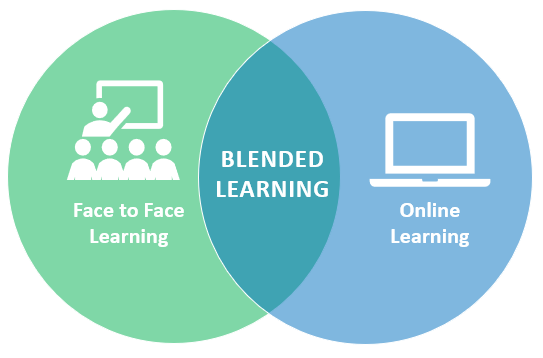
Blended learning is a methodology which is used nowadays becsause it combines face to face and online learning which allows students to have more resources and explanations about the topic so, they increase their knowledge easily. This methodology is useful at university because educators explain and share all information they know about topics and students learn more information when they look for information for tasks or watch videos. In addition, teachers can add technological resources in a platform to practice content.

Blended Learning
According to Cae, (2017), blended learning refers to a formal education program which combines in-person classroom time and individual study online using learning technological resources. This is a type of multichannerl method that incorporates tutor-led, activities, images, forums, digital tasks, videos, and face-to-face discussions. This methodology is effective because students' learning is more personalized and they have enough resources to increase their knowledge.


Features of Blended Learning
This effective methodology has the following features to consider in the learning process to increase students' learning.


Why is blended learning effective?
More and more education schools and universities are coming to rely on the blended learning model. Their reasoning is simple: a multichannel teaching method offers the best of classroom and online learning all in one place.

Each student has a range of different strengths and requirements and a blended learning approach allows tutors to acknowledge this. When they are given the ability to use tools from both traditional and digital spheres, tutors are able to present necessary information in a range of different ways designed to suit the varying learning styles of their students.

Ways to implement blended learning
According to Abbott, T.(2020), there are three elements of an ideal blended learning environment to consider: the first one is in-person training, during sessions teachers and students can brainstorm and learn from each other; the second one is online learning which incorporates online learning and people can learn or reinforce skills; and the third one is coaching by implementing coaching sessions and feedback to the participants. 

These are five ways educators can use to implement this methodology in the learning process, these are easy and fast to do and they will get effective results.

Click  on the image to read more information about these ways.


Blended Learning for Higher Education


What is your opinion about blended learning in higher education?
Share your opinion with us by posting a comment. Your contribution is important for us.

Conclusion
Blended learning is an effective methodology in education it does not matter the level because students get personalize learning, in other words, they listen to the teachers' explanation to solve doubts and they have enough technological resources to practice the content they have learned so, it allows students can increase their knowledge. Integrating this methodology in learning is easy and fast and educators provide students resources and guidelines they need to face real-life problems.

Reference
1. Cae. (2017). What is Blended Learning Method and how it works? Retrieved from https://www.cae.net/blended-learning-introduction/
2. Abbott, T. (2020). 5 Ways to Implement Blended Learning with Online and In-Person Training. Retrieved from https://www.socoselling.com/5-ways-to-implement-blended-learning-with-online-and-in-person-training/

E - learning

E- learning


Introduction
E-learning is one of ICT modalities, this kind of learning is more used in education because technology is everywhere and students like to interact with it, so educators can take advantage of this resource to integrate technological resources in classes. Learners use their electronic devices as smartphones, computers, and tablets to communicate with others in online courses.

Learning Pyramid
This learning pyramid model was developed by Edgar Dale which is called Cone of Experience. It shows that some methods of study are more effective thatn others and that varying study methods will lead to deeper learning and longer-term retention. This demonstrate how much knowledge students acquire according to the learning activities. So, look at the learning pyramid and the percentage of the activities because educators should promote active learning.


Importance of Learning Pyramid
Meaningful learning is the main goal for educators because they want students learn content and know how to apply it in real-life situations. In some cases, students memorize the content for the test, answer it, they do not remember anything two days later, it means, it is not meaningful learning. Teachers should integrate innovative activities and methodologies which help students to acquire knowledge. Therefore, it is important teachers consider this learning pyramid in order to design activities which promote meaningful experiences. 

This video explains why teachers need to know this learning pyramid to integrate methodologies and activities that help students in the learning process.


Types of E-learning
There are different types of e-learning according to students' needs. Two of the most common kinds are synchronous and asynchronous learning. However, there are educators who combine them to produce blended learning which is the combination of those ways. 


There are ten types of e-learning which facilitators should consider when they design online courses because communication can be in several ways so, read more information about them by follow this LINK or click on the image.


Conclusion
E-learning is a modality educators can integrate in their classes because students like to work with technology. When they use electronic devices, they feel comfortable doing their tasks so, teachers should take advantage and implement technology in education. E-learning has ten different types which synchronous and asynchronous learning are more common in education because teachers plan activities to implement these ways. Each type of e-learning is effective and teachers should choose according to their objectives and students' situations.

Reference
The Learning Pyramid. (n.d.). Retrieved from https://www.educationcorner.com/the-learning-pyramid.html

Instructional Design Models: ADDIE and ASSURE

Instructional Design Models: ADDIE and ASSURE


Introduction
An instructional design is a process where learning and  courses  are designed and developed.  It is a guide for educators to plan innovative activities and methodologies in the learning process. There are different instructional designs they can use, for example: ADDIE and ASSURE Models. These designs help to plan a course in a correct way to achieve students get meaningful learning, so it means they know how to apply the content in real-life situations.

Instructional Design Models
According to Kurt (2015), an instructional design model provides guidelines to organize appropriate pedagogical situations to reach instructional goals. In addition, it is intended to be an iterative process of planning outcomes, choosing effective and innovative strategies for teaching and learning, selecting technological resources. 

There are several instructional design models educators can use to plan their courses, however, these are commonly accepted design models:


ADDIE Model
ADDIE is an instructional model which helps instructors, instructional designers, and teachers to plan and create instruction. This model is used to create all the different kinds of instructions that people can use to teach a topic. For example, teaching mathematical topics as algebra. Moreover, this model is essential and a good option for teachers because it follows the whole learning process which has five phases or stages.


ADDIE Model Phases
This instructional design has five important phases: analysis, design, development, implementation, and evaluation. Each stage is essential in this process because educators establish the objectives of online courses in the first one, so that information is useful for the next one. The ADDIE model retained this five-step feature, and included many sub-stages within each of the five broad phases. Due to the hierarchical structure of the steps, one had to complete the process in a linear fashion, completing one phase before starting the next.

Click on the image to look at a presentation about each phase.


ADDIE Model in lesson planning
Integrating this instructional design in a lesson plan is a process because teachers need to follow each stage in order to have effective results in the learning process. It is easy to apply it and you can be an excellent designer.  Click on the icon to look at an example of a lesson plan using this model.


ASSURE Model
According to Kurt, (2015), ASSURE is an isntructional design model which has the objective of producing more effective learning and teaching. This instructional design has six steps, each one is important to achieve get meaningful learning. 


ASSURE Model Phases
This instructional design has six phases educators need to consider when they plan their courses, each stage has characteristics and important information to put into practice when they design. This video explains each phase of this instructional design.


Key information in the ASSURE Model
This picture explains each stage in this instructional design and also key information to consider en each one. Integrating this model is a process because it starts before the semester and finishes at the end of the semester.


Conclusion
There are different instructional designs teachers can use to plan their couses as ADDIE and ASSURE Models. Some educators prefer to use these models because they follow a process to gather information needed for the courses. The most common instructional design is ADDIE, this is easy to implement it and facilitators get meaningful results.

Reference
1. Kurt, S (2015) . "ADDIE: Instructional Design Model," in Educational Technology.
     Retrieved from https://educationaltechnology.net/addie-instructional-design-model/
2. Kurt, S (2015) . "ASSURE: Instructional Design Model," in Educational Technology.
    Retrieved from https://educationaltechnology.net/assure-instructional-design-model/

Instructional Design

Instructional Design


Introduction
An instructional design is the creation of learning experiences and materials in an effective way whcih results the adcquisition and application of knowledge and skills. It is a guide for a teacher who wants to start with a virtual course because he uses it to plan and organize everything related to the course. In this instructional design, the teacher follows steps to gather all the information needed before starting the class. 

Instructional Design
According to Pollard, (2016), an instructional design is the guide for teachers to create online courses. It is a process educators should follow when they plan online courses, each stage is important in this intructional design because it is like a scaffolding, step by step in order to create an effective course. Online education is different, the teacher just has virtual classes with the students  which the communication can be synchronous or asynchronous.


Features of an instructional design
An instructional design has the following features which educators should consider when they are designing the virtual course:


Roles of Instructional Designers
An instructional designer has these roles when he is planning virtual courses, so, it is important to educators consider them when they design their courses in order to have effective results.


Benefits of an instructional design
Click on the image or THIS LINK to appreciate the benefits of an isntructional design. It is an interactive image which contains the benefits of using instructional design in planning courses. 


There are different instructional designs as ADDIE and ASSURE Models. These designs help to plan a virtual course in a correct way to get better results in learning. In next post, you find information about two instructional designs.

Conclusion
An instructional design is a process which learning and  courses  are designed and developed.  It is a guide for teachers to integrate innovative activities and methodologies during the course. It is necessary educators follow each step to design an effective course for learners. In addition, there are some instructional designs they can use to plan their courses, they choose one according to the students' needs.

Reference
Pollar, (2016). Instructional Design Model - What is it & Why Use it? Retrieved from https://blog.commlabindia.com/elearning-design/what-is-instructional-design-model

ISTE Standards for Students

ISTE Standards for Students

Introduction
ISTE Standards for Students are guides for teachers to know what competences students need to develop to face real-life situation in this digital world. These standards are according to the 21st. Century, teachers use different methodologies to teach the content, so they plan different activities integrating technological resources. In addition, it is important teachers help students to develop these competences to be successful people in life.

ISTE Standards for Students
According to Schoology, (2018), ISTE Standards for Students are the most critical because the objective of education is to ensure students' learning. Students' environment is technlogy so, teachers can integrate this element to facilitate the learning process. There are seven standards teachers should consider when they integrate technology in education. These standards are geared to empower student voice and ensure that learning is a student-driven process.


The following infographic shows the seven standards for students, it has a description and the achievement indicators whcih educators can use to measure students' learning.


Follow these links, there is a poster about these standards in English and Spanish, you can print out  and share it with others educators to consider them when they integrate technology in the learning process. This poster is useful because it has a short description about each standard and also you can find it in English and Spanish.


Conclusion
ISTE Standards for Students are guides for teachers because they need to know what competences students require for this digital area. Nowadays, education is different, it means teachers should integrate innovative methodologies and activities to achieve students get meaningful. In addtion, educators can use the achievement indicators to measure if students have developed those competences in the learning process.

Reference
Schoology. (2018, November 26). Understanding the ISTE Standards for Students. Retrieved from https://www.schoology.com/blog/understanding-iste-standards-students